

SELL WITH EASE
Everyday billing
Find medicines, review quantities and record the sale in one connected workflow.
Explore this workflowPharmacy software · Built for India
Create bills, track medicine batches and expiry, receive purchases and follow customer balances. One connected workspace for your pharmacy’s daily work.
Explore the sample first. Create an account when you’re ready.
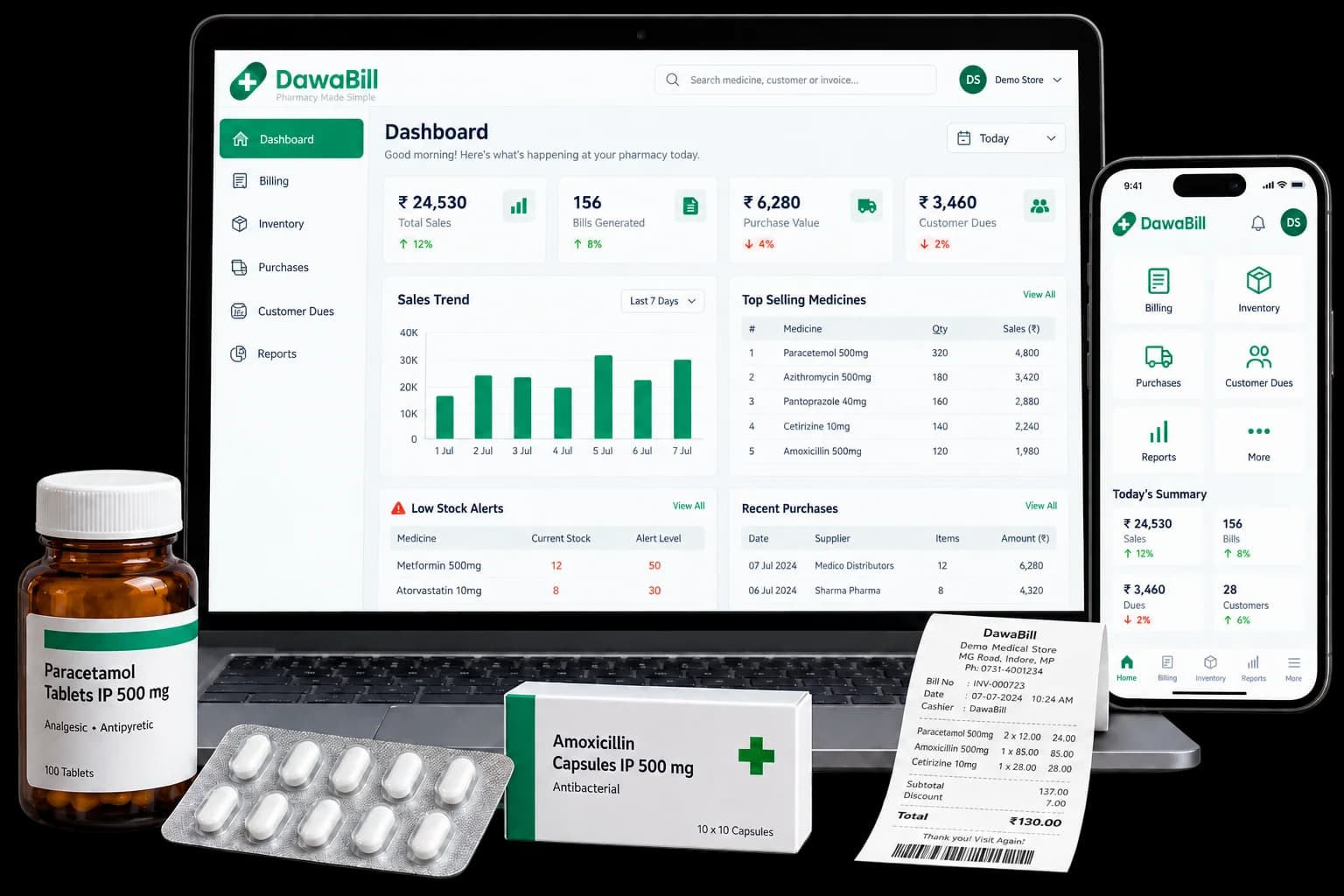
Built for real pharmacy work
Create a bill. Check a batch. Follow a balance. Start with the pharmacy job you need to do today.
SELL WITH EASE
Find medicines, review quantities and record the sale in one connected workflow.
Explore this workflow
KNOW YOUR STOCK
Check available quantities and identify medicines that need attention.
Explore this workflow
STAY A STEP AHEAD
Keep batch details and expiry dates alongside your medicine stock.
Explore this workflow
KEEP SUPPLIES MOVING
Keep supplier purchases organised and update stock when goods are received.
Explore this workflow
KEEP BALANCES CLEAR
See previous dues, record partial payments and keep a receipt for each collection.
Explore this workflow
SEE THE FULL PICTURE
Review recorded activity without piecing together separate registers.
Explore this workflowHOW DAWABILL WORKS
See how one part of your pharmacy’s day connects to the next. Each step leaves a record you can follow.
Choose the supplier. Enter the invoice, medicines, batch and expiry details. Review and finalise the purchase.
Understand purchasesWhen the goods arrive, confirm what was received. Stock updates at receiving, not when you save a draft.
Explore stock and expiryFind the medicine, review the batch, quantity and total. Confirm the sale with an available payment method and open the saved bill.
Explore billingCheck saved sales, customer dues and supplier payables in the correct branch. Follow a record when you need the details.
Explore Owner workflowsA customer pays later? A credit sale records dues, not money collected. Record the later collection separately and give a receipt. Try the customer-dues example
EXPLORE THE PRODUCT
Choose Billing or Purchases to see how the work is organised. The billing sample is interactive; the purchase image is a screen preview.
Find a medicine. Review the items. Check the total.
In DawaBill, search your catalogue and choose a medicine and batch. Here, search filters the three items already in the sample basket.
Review medicines, quantities and prices in one place.
Check the amount due before moving to payment.
Tap a step to explore the preview.
Search filters this sample basket. Totals include all 3 items.
At the counter On the shelf
Explore at your own paceCUSTOMER DUES, WITHOUT THE GUESSWORK
A little paid today. The rest, another day. Keep the whole story clear for you and your customer.
ONE CUSTOMER. THREE SIMPLE STEPS.
Find a saved customer and see their previous balance before taking a payment. Every collection starts with context.
Review the balanceRecord only the amount actually received. The unpaid amount stays visible in the customer’s account, ready for their next visit.
Try a part paymentGive a collection receipt, even without a new sale. The payment and remaining balance stay together in one clear record.
See the receiptA previous balance. Always in view.
Start here: see what is owed before collecting a payment.
Explore at your pace. This is sample data only.
FIND YOUR WORKFLOW
Start with what needs your attention. Explore the tools that connect the rest of your day.
Find medicines, review the basket and keep the sale connected.
Sales & paymentsKeep quantities, batches and expiry dates in view.
Stock & batchesBring everyday pharmacy operations into one workspace.
Daily operationsReview recorded tax information. Not automated filing.
Tax recordsChoose a workflow to explore its features
CLEAR RESPONSIBILITIES
Give staff the access they need, keep work in the right branch and review recorded activity when a question comes up.
Give each team member their own access, defined by role and permission.
Individual access. Clear responsibility.Keep branch workflows tied to the store a team member is authorised to use.
The right team, in the right store.Refer back to customer payments and important stock changes when you need context.
A history you can return to.Pricing information is loading. Account creation does not charge you or activate a plan. If prices do not appear, contact DawaBill to confirm current packages.
Ask about plansYOUR FIRST STEPS
You can explore the public samples without an account. When you’re ready, follow the setup steps shown in DawaBill.
Enter your details and verify your email using the link sent to you.
Complete your business and branch details, then open your workspace.
Check available workflows, plan limits and payment availability. Account creation does not purchase or activate a plan.
A LITTLE CLARITY GOES A LONG WAY
Get to know DawaBill before you take the next step. Here is what it does, and what is still ahead.
View all FAQsDawaBill is web-based pharmacy management software for Indian medical stores. It connects billing, medicine stock, batches and expiry, purchases and customer dues so you can follow your store records in one workspace.
Yes. You can follow purchase receiving, stock and expiry, customer dues, supplier payables and supported reports alongside billing. Check the workflows and plan limits available to your account before choosing a package.
Yes. Each staff member uses their own account with assigned permissions and branch access. The Owner can manage the team; plan limits and permissions determine which workflows and branches are available.
No. AI assistance is planned and is not available as a completed feature today. Changes to pharmacy records and financial transactions require authorized users and human decisions.
A clear picture today. Informed decisions tomorrow.
YOUR NEXT CHAPTER
Bring your billing, stock and customer records together. Take the next step with DawaBill.
Pricing preview
Compare package prices and limits. This is a pricing preview, not an active subscription offer. Confirm taxes, availability and support terms before purchase.
Prices are from the published catalog. Checkout and subscription activation are separate.
Keep everyday store work connected.
₹1/ 30 days
Preview one-time price · INR · No AutoPay
Planned package includes
Bring your team and records together.
₹249/ 30 days
Preview one-time price · INR · No AutoPay
Planned package includes
Coordinate work across your branches.
₹399/ 30 days
Preview one-time price · INR · No AutoPay
Planned package includes
Exploring a plan takes you to account creation. It does not charge you or activate a subscription.